自定义vscode css样式
最近vscode部门也许是来了一位“天才”设计师,从1.134版本开始把ui进行了一些改进,文件标签未激活样式和之前激活的样式一致,TMD倒反天罡,用起来特别不顺手,我经常是点错标签,工作效率都下降了一点。
第一张图是旧版本👇,激活的标签颜色和文件内容区域颜色相同,颜色搭配很合理,很舒服。
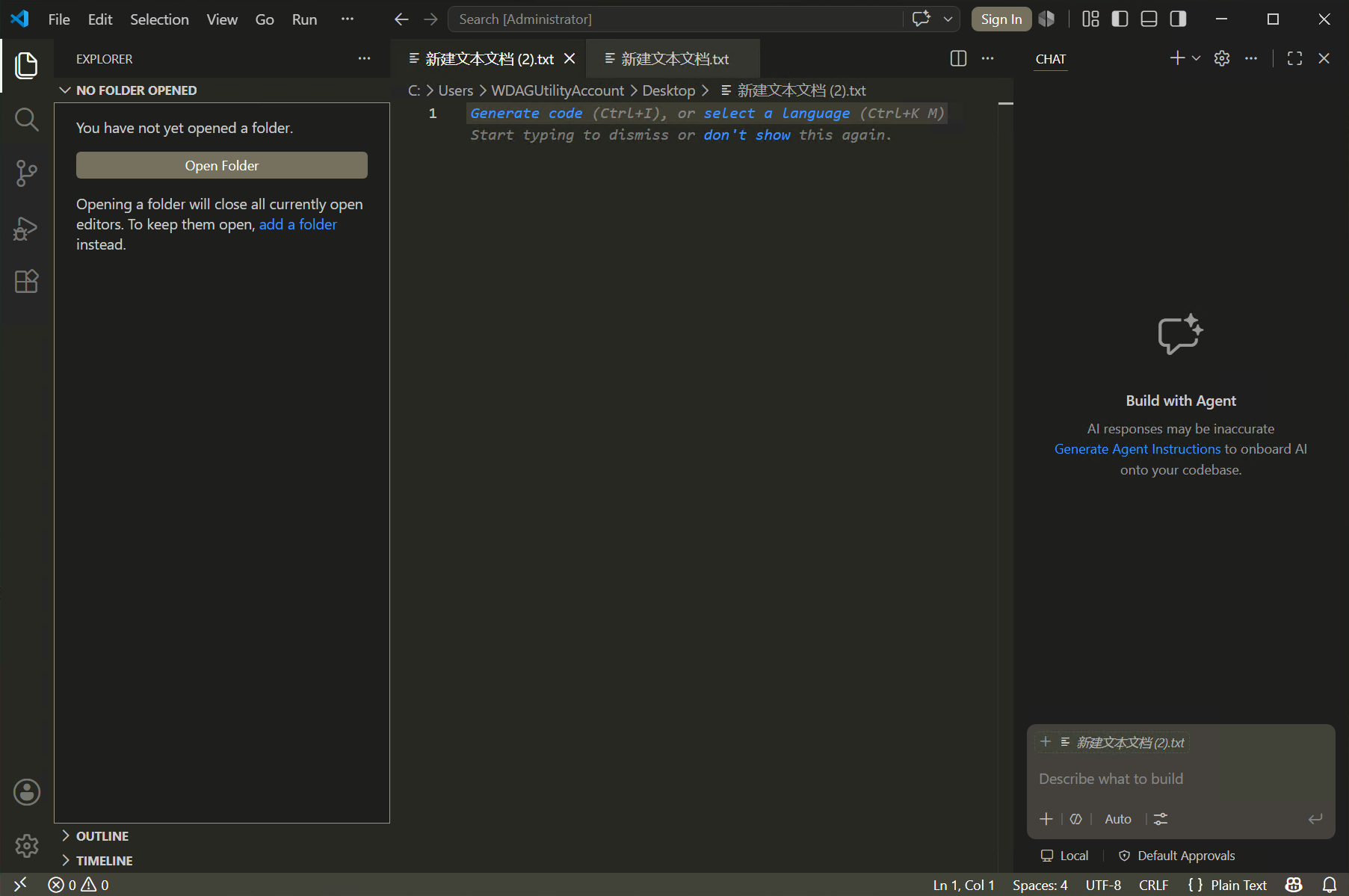
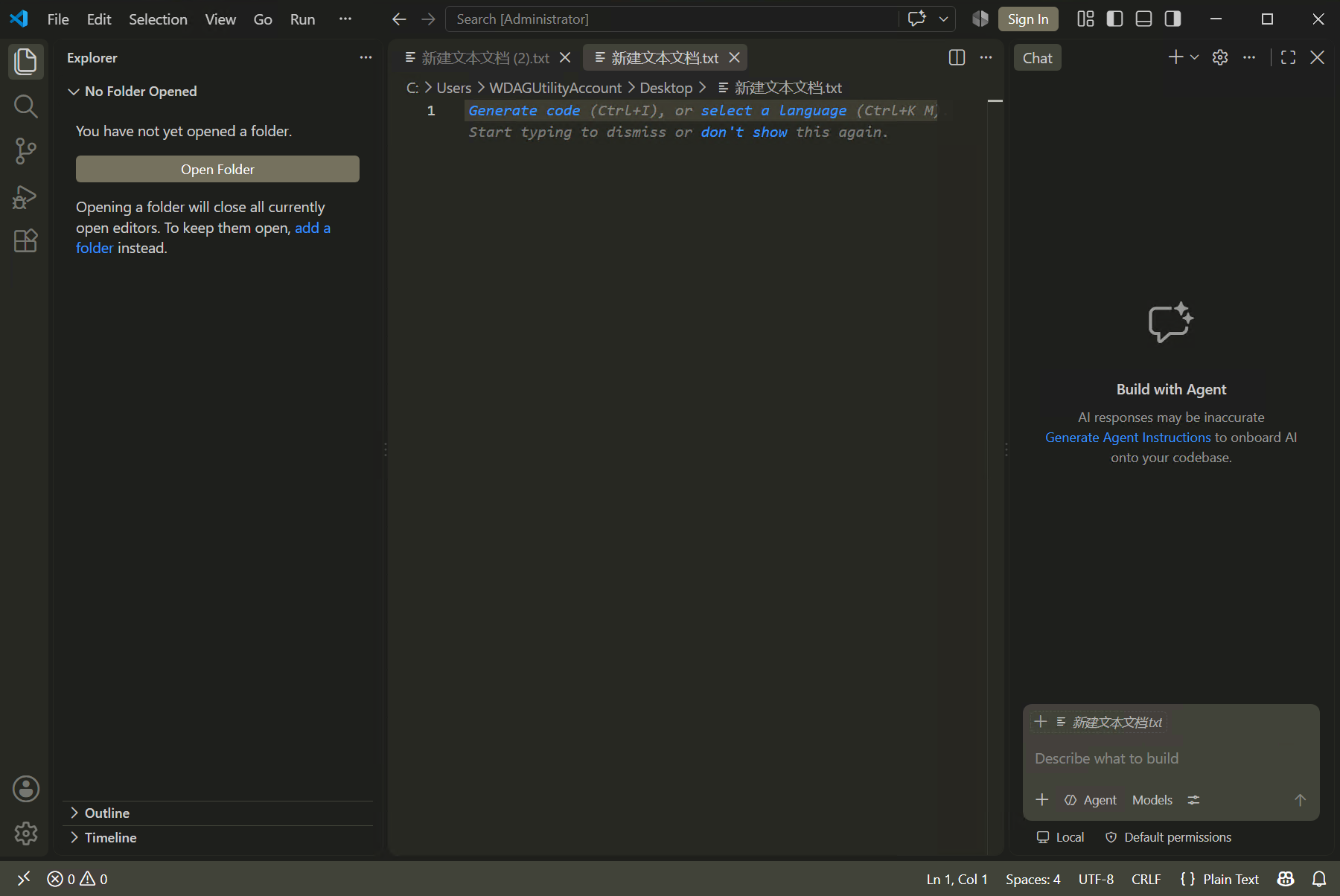
第二张图是1.134版本👇,激活的标签是突出显示,但颜色和老版本未激活的颜色接近,但未激活的标签和下面内容区域颜色一致?? 我尼玛,老用户谁能分得清?
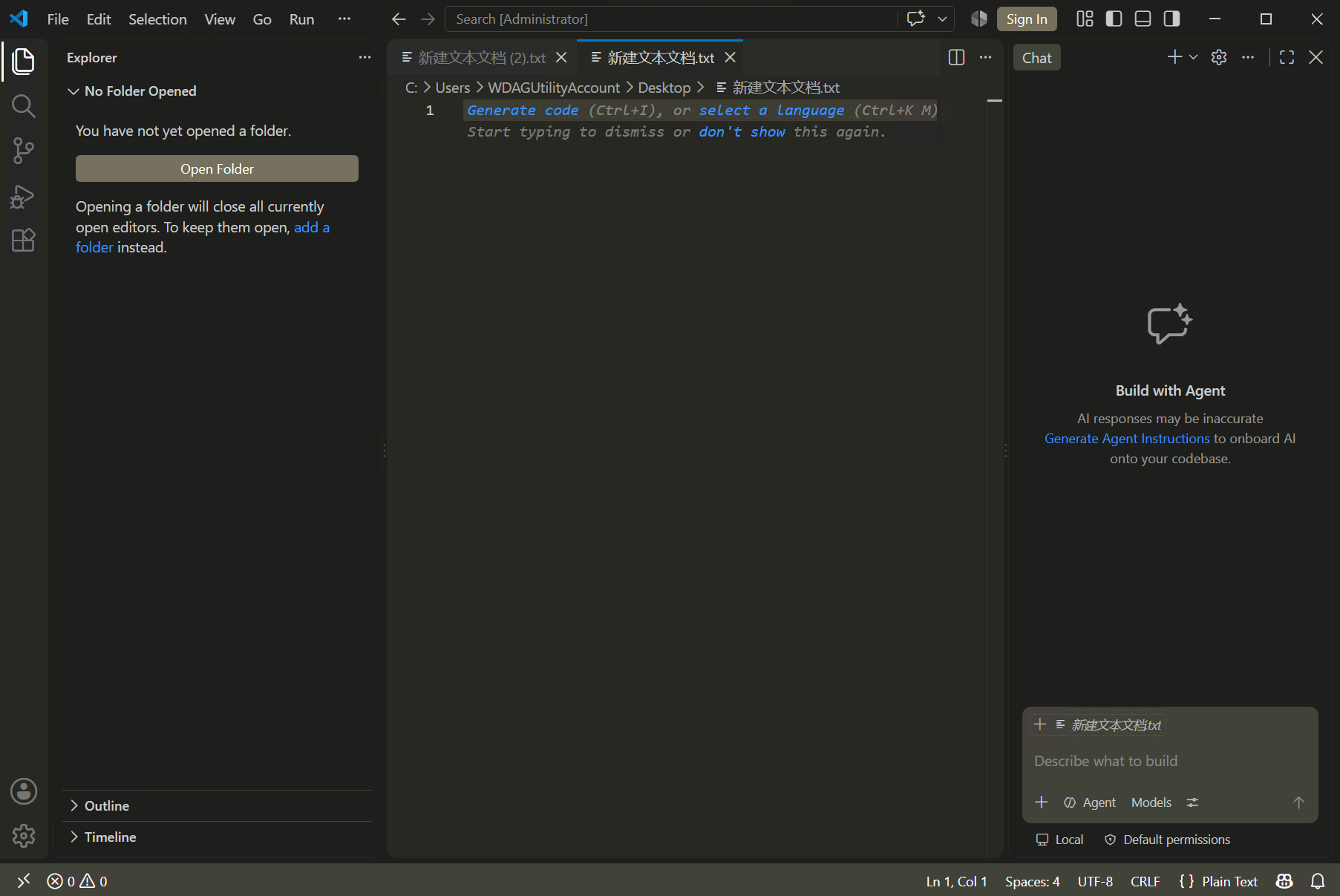
现在用了Custom UI Style插件,进行了自定义css,搞回原来的样式,一并修改了左侧功能菜单的样式。效果如下👇
配置代码👇:(按ctrl+shift+p,打开用户配置json模式,代码放里面。)
我是用了monokai主题,不是这个主题你需要把.vscode-theme-monokai-themes-monokai-color-theme-json删除或替换,否则不生效,保存配置后vscode右下角会有提示让重启vscode。如果更新了vscode版本后,可能这个css又失效了,需要重新执行命令 custom-ui-style.reload
"custom-ui-style.stylesheet": {
    ".vscode-theme-monokai-themes-monokai-color-theme-json .tabs-and-actions-container": {
        "padding-left": "0!important"
    },
    ".vscode-theme-monokai-themes-monokai-color-theme-json .tabs-container": {
        "background": "#2b2d27!important"
    },
    ".vscode-theme-monokai-themes-monokai-color-theme-json .tabs-container > .tab": {
        "border-width": "0!important",
    },
    ".vscode-theme-monokai-themes-monokai-color-theme-json .tabs-container > .active": {
        "background": "#272822!important"
    },
    ".vscode-theme-monokai-themes-monokai-color-theme-json .tabs-container > .active::before": {
        "content": "''",
        "position": "absolute",
        "top": "0",
        "left": "0",
        "width": "calc(100% - 2px)",
        "height": "2px",
        "background": "#007acc",
        "z-index": "10"
    },
    ".vscode-theme-monokai-themes-monokai-color-theme-json .tabs-container > .active .tab-fill": {
        "background-color": "#272822!important",
    },
    ".vscode-theme-monokai-themes-monokai-color-theme-json .tabs-container > .active .tab-actions:before": {
        "background-image": "none!important"
    },
    ".vscode-theme-monokai-themes-monokai-color-theme-json .tabs-container > .active .tab-actions": {
        "background-color": "#272822!important"
    },
    ".vscode-theme-monokai-themes-monokai-color-theme-json .tabs-container > .tab .tab-fill": {
        "border-radius": "0!important",
        "inset": "0 var(--vscode-spacing-size20) 0 0!important",
    },

    ".vscode-theme-monokai-themes-monokai-color-theme-json .activitybar": {
        "padding-left": "0!important",
        "padding-right": "0!important",
    },
    ".vscode-theme-monokai-themes-monokai-color-theme-json .activitybar > .content": {
        "width": "100%!important"
    },
    ".vscode-theme-monokai-themes-monokai-color-theme-json .activitybar .action-item a": {
        "width": "100%!important"
    },
    ".vscode-theme-monokai-themes-monokai-color-theme-json .activitybar .action-item.checked a::before": {
        "color": "#fff!important"
    },
    ".vscode-theme-monokai-themes-monokai-color-theme-json .activitybar .action-item.checked .active-item-indicator": {
        "width": "2px!important",
        "height": "100%!important",
        "border-radius": "0!important",
        "background-color": "#fafcf2!important"
    },
    ".vscode-theme-monokai-themes-monokai-color-theme-json .activitybar .action-item:not(.checked) .active-item-indicator": {
        "display": "none",
    }
},